Introducing the Data Protection API Key Ring Debugger

When you’re working with the Data Protection API in ASP.NET, you quickly notice how powerful and simple this service is. At the same time, you have little insight into how it operates. In this blog post, I will introduce a simple debugger I wrote to better demonstrate how it operates in my training classes.
Head over to my previous blog post, Persisting the ASP.NET Core Data Protection Keys Ring in Azure Key Vault, for details about how this API works.
Introducing the DPAPI Debugger
The debugger is implemented as a plain ASP.NET Core MVC Controller alongside a corresponding razor view page that will display some of the inner details of the DPAPI.
On a high level, the architecture of the part of DPAPI that we are interested in, looks like this:
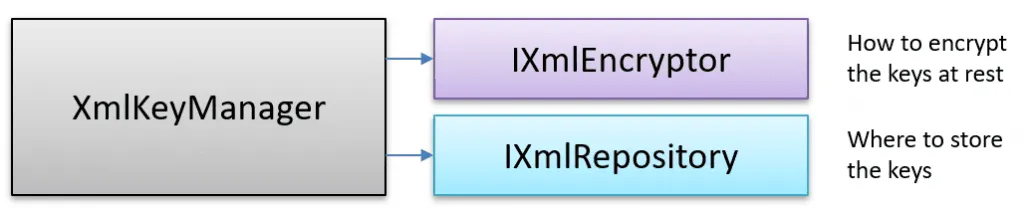
The encryptor and repository being used are not public information, so to extract this information, we used the new UnsafeAccessor attribute introduced in .NET 8. You could get the same information using reflection if you don’t want to use this approach.
[UnsafeAccessor(UnsafeAccessorKind.Method, Name = "get_KeyEncryptor")]
extern static IXmlEncryptor GetKeyEncryptorField(XmlKeyManager @this);

[UnsafeAccessor(UnsafeAccessorKind.Method, Name = "get_KeyRepository")]
extern static IXmlRepository GetKeyRepositoryField(XmlKeyManager @this);
Creating and revoking ASP.NET Core Data Protection keys
The debugger allows you to create a new key and revoke all the existing keys as well. 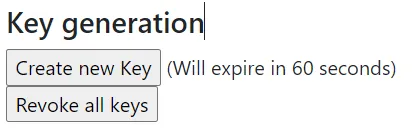
Viewing the currently used encryptor and repository
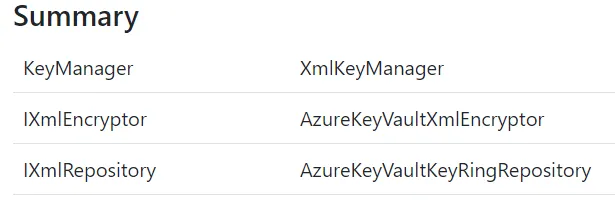
The debugger will show which encryptor and XmlRepository that is currently being used in your application.
Upskill With Me: Courses, Workshops & Training
 Want to sharpen your skills and make the most of your professional development program? I offer a range of workshop courses and coaching services for individuals and teams! Click the links or the button to find out more. If you have any questions, I’m happy to help! Find Out More
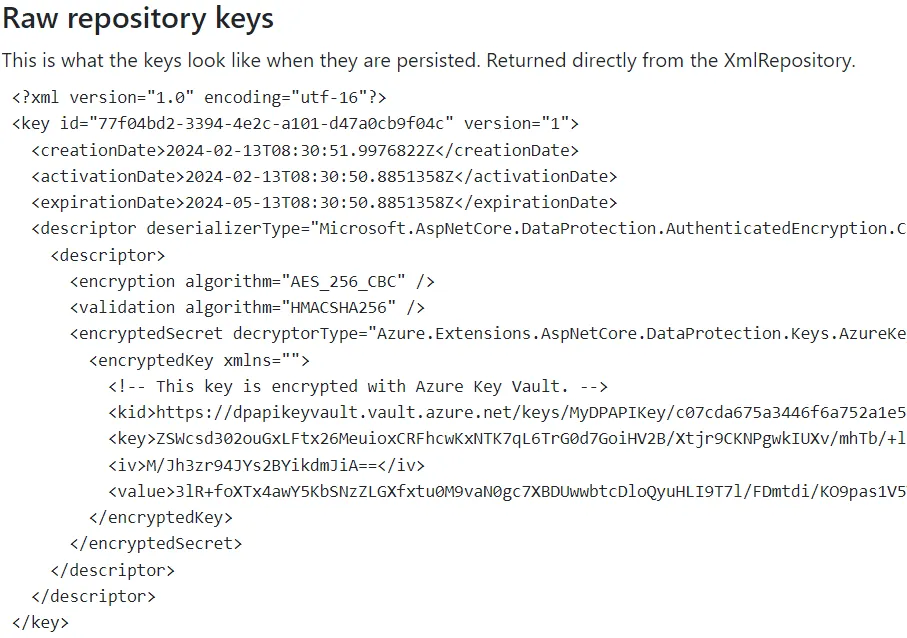
Viewing the raw persisted keys
This view will show you what the key ring looks like when stored in a suitable system. We can see here, for example, that a key from Azure Key Vault encrypts the keys.
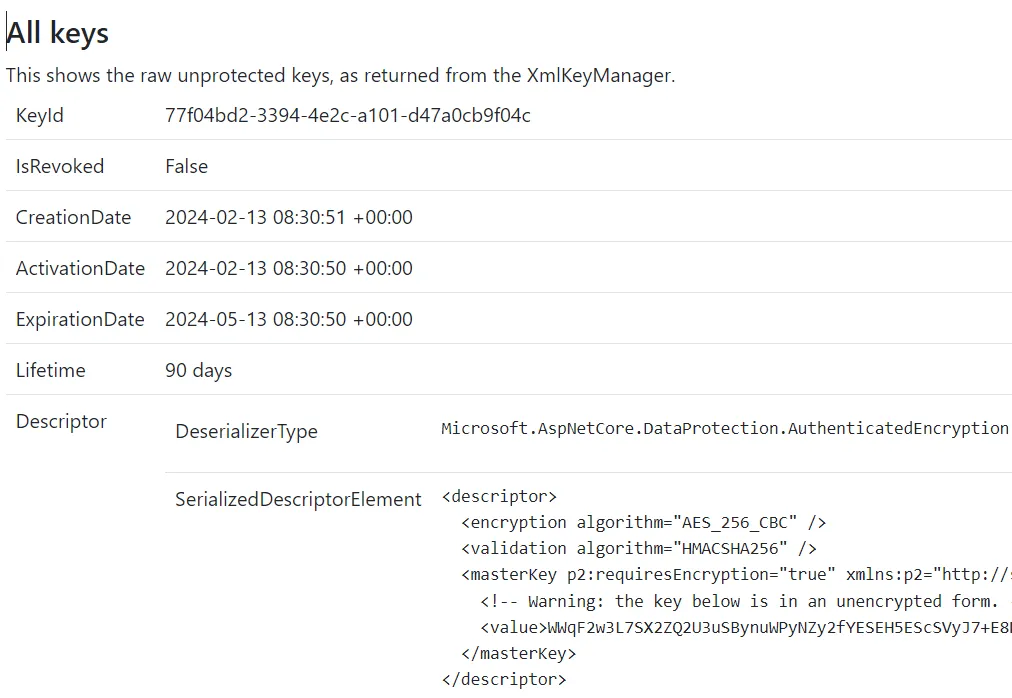
Viewing the unprotected data protection keys
In the final view, you can see more details about the keys, including expiration time and if they are revoked.
Source code
A sample implementation and example project can be found in my GitHub repository here. Feel free to submit a pull request if you have ideas for improving the code.
Conclusions
Writing and using this debugger has given me a better insight into how the DPAPI works and operates and hopefully it can help you too, to get a better understanding and help you to troubleshoot DAPAI problems.
More posts by the author
- Persisting the ASP.NET Core Data Protection Keys Ring in Azure Key Vault
- Exploring what is inside the ASP.NET Core cookies
- Demystifying OpenID Connect’s State and Nonce Parameters in ASP.NET Core
- Debugging cookie problems in ASP.NET Core
Related Training Workshops
Feedback, comments, found any bugs?
Let me know if you have any feedback, anything I missed or any bugs/typos. You can find my contact details here.